 Github
 Slack
Slack
Agent monitoring traces already show you what your agent did. Conversations now organizes those traces into something you can actually read.
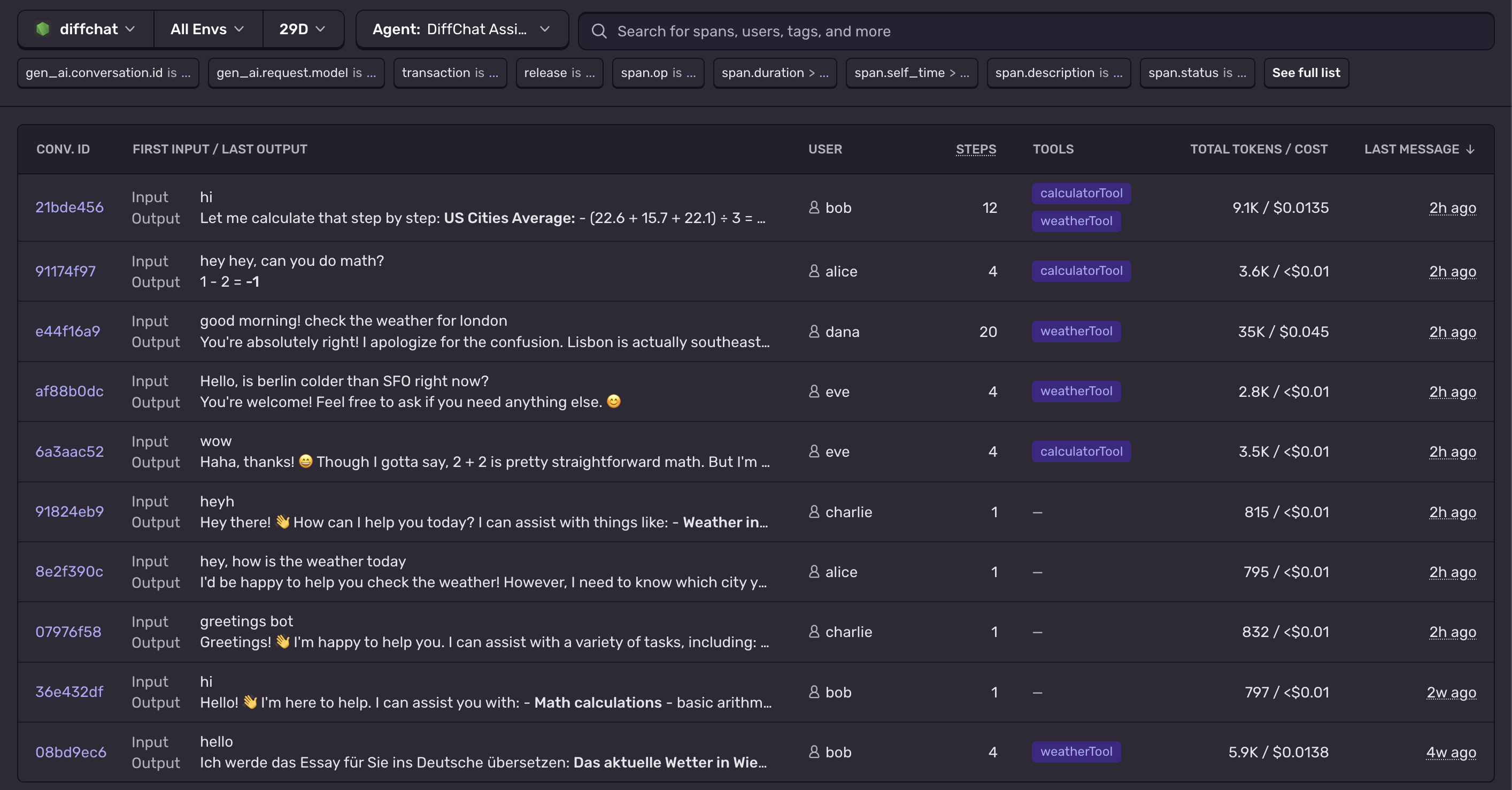 In open beta for all Sentry users, Conversations gives you a readable view into past sessions with your agent, showing the full exchange of messages and tool calls so you can understand exactly what happened during each session.
Each conversation groups spans by
In open beta for all Sentry users, Conversations gives you a readable view into past sessions with your agent, showing the full exchange of messages and tool calls so you can understand exactly what happened during each session.
Each conversation groups spans by gen_ai.conversation.id — so whether a user talked across multiple traces or multiple conversations happened inside one trace, you get a clean chat-style timeline of every message, tool call, and response.
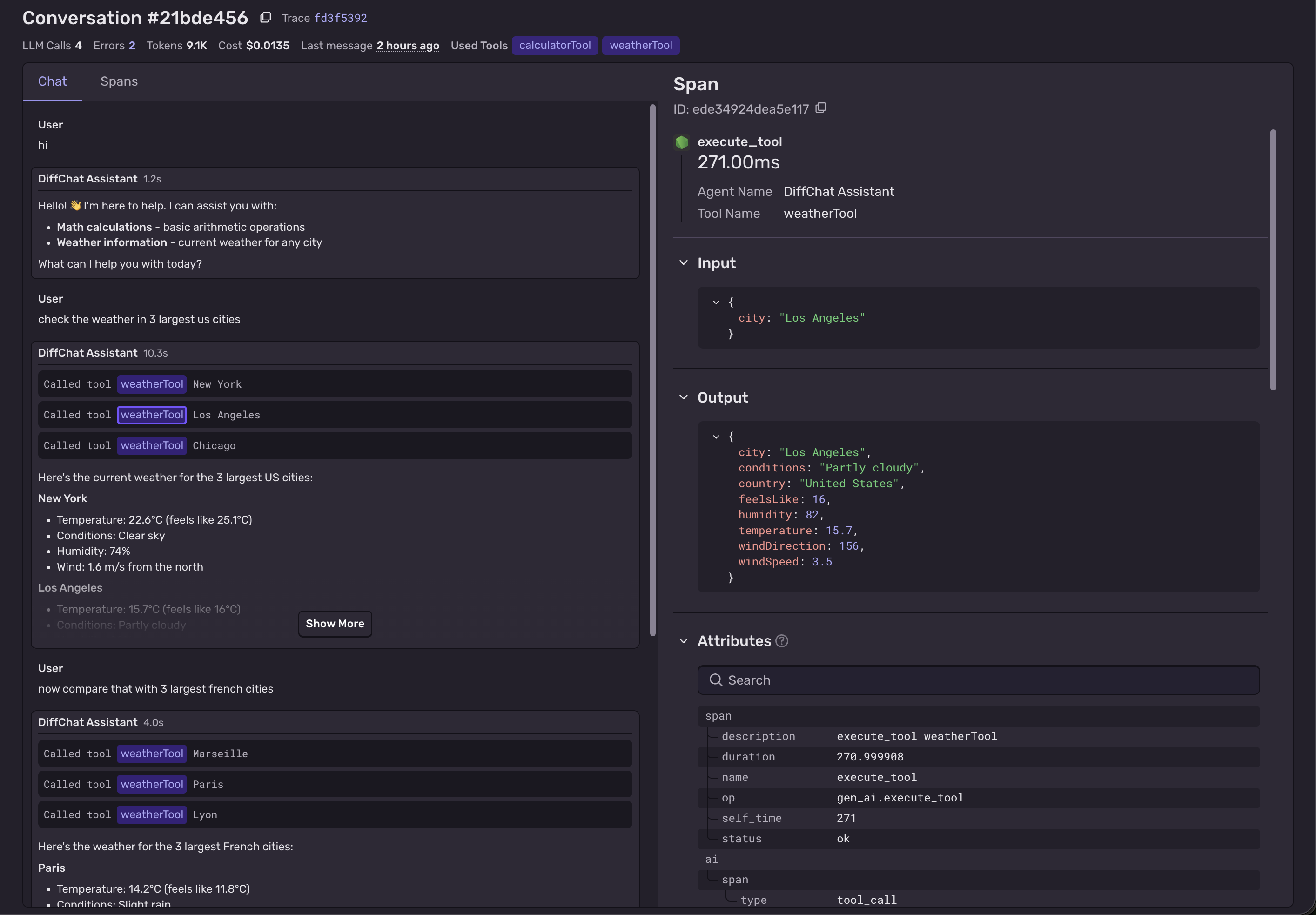
To get started:
- Enable Tracing with the Sentry SDK configured for your AI agent project. Follow the Agent Monitoring getting started guide if you haven't already.
- Set a conversation ID on your spans. Sentry groups spans into conversations using the gen_ai.conversation.id attribute. You can set this manually by calling
Sentry.setConversationId(conversationId). Learn more - Then head to Explore > Conversations to start seeing your conversations.
Check out the docs for more.
